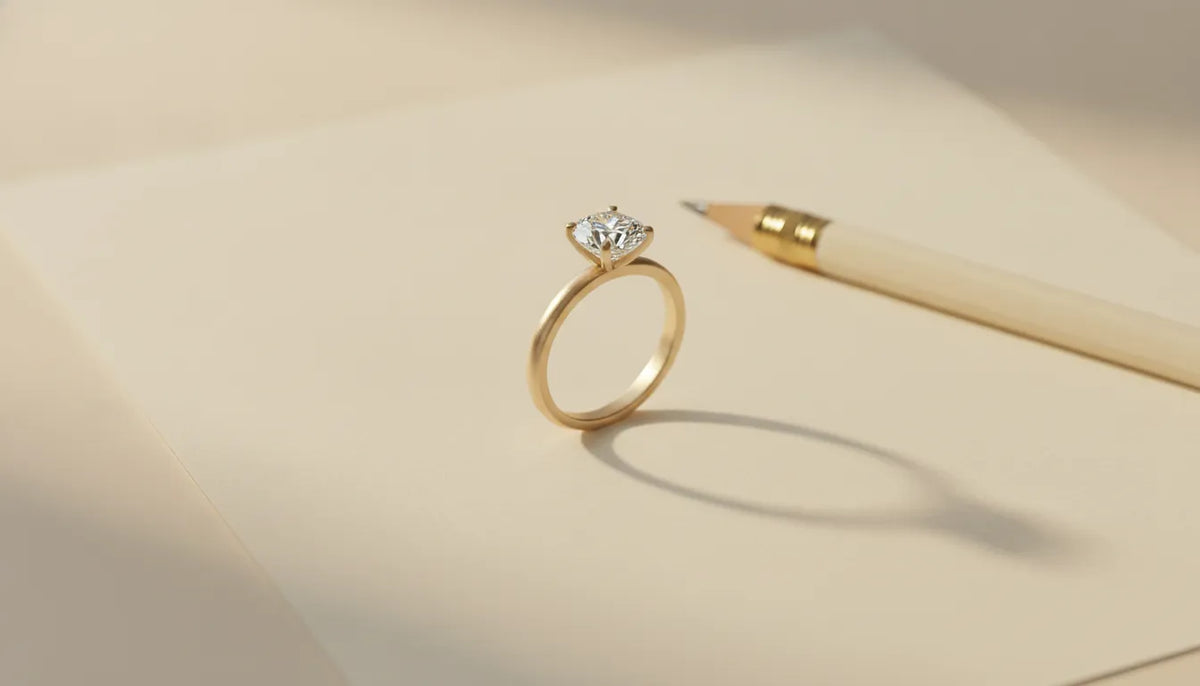
Engagement Ring Cost Calculator: Plan Your Budget
An engagement ring budget is more useful when it reflects the ring you actually want, not a rule borrowed from someone else's priorities. The center stone matters, but so do its cut, color, clarity, and carat weight, along with the setting, metal, customization, taxes, shipping, and future care.
Design your ring with LUCE's design-your-own process.
An engagement ring cost calculator should help you map a total budget across those decisions, then show which tradeoffs affect the estimate most. It cannot predict one universal price, because two rings with similar silhouettes may use different stones, metals, construction, and levels of personalization.
Start by treating the worksheet as a calm planning tool. Once the major cost categories are visible, you can compare specifications with more confidence and decide where craftsmanship, personal meaning, and everyday wearability deserve the greatest share of your budget.
This article focuses on calculator mechanics: how to list line items, visualize tradeoffs, and carry an estimate into a jeweler conversation. For the separate question of how much an engagement ring should cost for your income, priorities, and emotional budget, read LUCE's guide to deciding how much an engagement ring should cost.
What does an engagement ring cost calculator actually calculate?
An engagement ring cost calculator is a planning tool, not a crystal ball. It can organize the choices that influence a ring budget and show how those choices interact. Depending on the calculator, you may enter a target budget, diamond characteristics, metal, setting style, or customization preferences. The result is usually a starting estimate or range, not a live price for a specific ring that is available today.
That distinction matters because two rings with similar descriptions can have different prices. A calculator may use a general model, a current inventory set, or information supplied by a retailer. Availability, sourcing, craftsmanship, certification, and the exact design can all change the final number. Treat the output as a way to decide what to explore next, then confirm the specifications and current pricing directly with the jeweler.
What belongs in the total estimate?
A useful estimate looks beyond the center stone. It should account for the setting, the metal, side stones or other design details, and any customization or labor. Depending on the purchase, taxes, shipping, resizing, care, appraisal, or insurance planning may also belong in the conversation. Keeping these elements visible prevents a low-looking stone estimate from being mistaken for the cost of the finished ring.
There is also no universal spending rule that can determine the right budget for every couple. Income, savings, priorities, timeline, and the design itself vary too widely. A calculator can help you set boundaries that feel responsible, but it cannot decide what the ring should mean to you or justify taking on debt. A range is more useful than a verdict.
For a diamond center stone, record the GIA 4Cs, color, clarity, cut, and carat weight, alongside the stone's shape. These fields help you compare options consistently, but the calculator should show them as decision inputs, not as a universal ranking or final value. Use GIA's 4Cs guide when you need the terminology, then return to the worksheet and note which qualities matter most to you.
The engagement ring cost calculator worksheet
A useful worksheet makes the estimate visible before you compare specific rings. Start with the total amount you are comfortable allocating, then record what that amount needs to cover. The percentages below are user-controlled placeholders, not industry rules or a recommendation from LUCE. Adjust them to your priorities, timeline, savings plan, and the ring details that matter most to you.
| Line item | User-controlled placeholder | What to record or ask |
|---|---|---|
| Total budget | $________ or ________% of your planned ring fund | Set a maximum that fits your finances. Do not substitute an income rule for a personal decision. |
| Center stone | ________% or $________ | Record whether it is a diamond or another gemstone, plus shape, carat weight, color, clarity, cut, and grading documentation when applicable. |
| Setting | ________% or $________ | Note the setting style, number of prongs, side stones, band profile, and any design features that affect materials or labor. |
| Metal | ________% or $________ | Specify the metal and karat, such as 14K or 18K gold, and whether the band is intended to be solid precious metal or another supported material. |
| Customization and labor | ________% or $________ | Ask what design, modeling, sourcing, stone-setting, engraving, resizing, or other labor is included in the estimate. |
| Taxes and shipping, where applicable | $________ | Confirm which charges apply to your location and order type. Keep this line separate so the final total is not understated. |
| Service, care, and insurance planning | $________ now; $________ annually or as needed | Set aside for appraisal questions, insurance, cleaning, inspection, maintenance, and any care or warranty terms you need to understand. |
For a simple formula, add each confirmed line item: center stone + setting + metal + customization and labor + applicable taxes or shipping + planned service and care costs. If you use percentage placeholders, make sure they add up to your chosen planning total, then replace them with actual figures as details become available. A calculator can organize assumptions, but it cannot decide whether a particular stone, setting, or metal feels right for the person wearing it.
For context, GIA identifies metal characteristics and setting styles as engagement-ring buying considerations, alongside the 4Cs. Its guidance also recommends recording details such as the band metal, setting, side stones, ring size, and a diamond grading report when relevant. Use those details to make supplier comparisons more precise rather than treating a single estimated total as a promise.
If you want to test how design choices affect the worksheet, explore LUCE's design your own engagement ring path. Bring the completed categories and your questions, and keep the estimate transparent as the stone, metal, setting, and personalization decisions become more specific.
Which ring details change the estimate most?
A useful estimate becomes more precise when you replace broad preferences with specific ring decisions. The center stone usually deserves the closest attention, but it is only one part of the finished piece. Shape, proportions, setting construction, metal, and the amount of hands-on design work can all change what a jeweler needs to source or make.
Center-stone specifications are not interchangeable
Record the stone's shape, carat weight, color, clarity, and cut rather than entering only a desired size. These inputs interact: changing shape can affect face-up spread and setting proportions, while changing carat, cut, color, or clarity changes the comparison in a different way. Keep the fields visible so you can test one variable at a time and ask a jeweler which tradeoff best protects the look you want.
Keep the setting and metal as separate worksheet lines. The setting's silhouette, side stones, gallery work, and band profile describe the design and fabrication questions, while metal karat, color, width, thickness, and volume describe the material questions. LUCE's engagement ring setting styles guide can help you name the features you want to compare.
Custom labor reflects the design's demands
Custom work can include refining the concept, selecting or sourcing a stone, engineering proportions, producing a model, fabricating the setting, setting the stones, and completing final finishing. The more individualized the geometry or the more components involved, the more questions a jeweler may need to answer before giving a transparent estimate. A collaborative review through LUCE's custom jewelry design process can separate the stone, setting, metal, customization, and applicable service considerations instead of hiding them inside one unexplained total.
Use your worksheet to mark which details are fixed and which are flexible. Keeping the shape while adjusting color or clarity is a different tradeoff from changing a solitaire to a multi-stone setting. That distinction makes an engagement ring cost calculator more useful: it becomes a way to compare deliberate design paths, not a promise of one universal price.
How do you use the worksheet step by step?
A worksheet is most useful when it turns a broad budget into a set of visible decisions. It should help you compare options and prepare better questions, not create a fixed rule for what an engagement ring ought to cost. Online calculators may produce a projected budget from their own market experience, while other tools use formulas such as total diamond price divided by carat weight. Treat those outputs as planning inputs, not a quote or a promise of availability. Estate Diamond Jewelry explains its projected-budget approach, and StoneAlgo describes its price-per-carat comparison metric.
- Set the total amount you can spend comfortably. Start with the money you have designated for the ring, while keeping regular obligations, savings goals, and the proposal timeline in view. Do not begin with an income multiple. A calculator can organize your thinking, but it cannot decide what is financially responsible for your household.
- List every ring-related line item. Create separate rows for the center stone, setting, metal, customization or labor, applicable taxes or shipping, and service or care planning. This prevents a stone search from consuming the full amount before the rest of the ring is considered.
- Choose the priorities you want the estimate to protect. Note whether your first priority is face-up size, cut quality, a particular shape, metal, setting style, or a distinctive detail. For diamonds, record the relevant specifications rather than relying on carat weight alone. A more precise preference list makes it easier to compare like with like.
- Assign working amounts, then subtract them from the total. Enter a provisional amount beside each line item and calculate: total budget minus center stone minus setting minus metal minus customization minus applicable taxes or shipping minus service considerations. Leave any unknown field clearly marked as pending instead of filling it with a guess.
- Add a separate buffer line. A buffer can account for changes after measurements, final specifications, or shipping and tax confirmation. The worksheet does not need a universal buffer percentage. Choose an amount that fits your own planning comfort, and reduce another line if the total no longer balances.
- Test one alternative at a time. If the stone estimate is higher than expected, compare a different shape, size, or specification while holding the setting constant. Then reverse the exercise. Isolating one change shows which preference is moving the estimate instead of making several changes at once and losing the cause.
- Review the worksheet with a jeweler before committing. Bring the priorities, open questions, and remaining balance to a consultation. Confirm gemstone availability, grading documentation where relevant, exact metal and setting specifications, customization scope, timeline, and which taxes, shipping, or care terms apply. A transparent estimate should become more specific as those details are confirmed.
Illustrative planning math, not LUCE pricing or a quote: Suppose a shopper uses a hypothetical 100-unit planning total, where the units represent percentages of the amount they have chosen for the ring. They tentatively assign 55 units to the center stone, 18 to the setting, 9 to the metal, 8 to customization and labor, and 5 to applicable taxes or shipping. The remaining 5 units form a planning buffer: 100 - (55 + 18 + 9 + 8 + 5) = 5. These allocations are a math example, not an industry rule, market pricing, availability statement, or LUCE offer. Once the stone, setting, metal, and order details are confirmed, replace each placeholder with verified information and recalculate the balance.
What should you confirm before committing?
A calculator is useful for setting a direction, but a written record is what lets you compare an estimate with the ring you will actually receive. Before committing, ask for the center stone's exact specifications, including shape, carat weight, color, clarity, cut details, and whether a grading report is included. GIA describes the 4Cs as color, clarity, cut, and carat weight, and notes that a grading report helps identify what a buyer is purchasing. Review the stone details against the grading report, rather than relying on a shorthand label alone.
Confirm how the stone is represented and disclosed. Ask whether it is natural, laboratory-grown, or another gemstone, and request any treatment or enhancement disclosures that apply. The goal is not to make a technical judgment on your own. It is to ensure the written description is specific enough for you to understand what is included and to ask informed questions before payment.
Get the ring specifications in writing
Your written estimate or proposal should identify the metal, karat when applicable, setting style, band dimensions or design details, side stones, ring size, and any requested changes. GIA's engagement-ring checklist includes choosing the setting, selecting a metal for the band, considering side stones, and measuring ring size. These details can affect both the finished appearance and the work involved, so confirm that the document matches your conversation and any approved design references.
For a custom ring, ask which parts are finalized and which remain subject to approval. Confirm the scope of customization, the number of design revisions included, the stone-selection process, and whether outside sourcing or special fabrication could change the estimate. Request a total that separates the center stone, setting, metal, customization or labor, applicable taxes or shipping, and any service or care considerations. Do not treat an estimate as a fixed price unless the jeweler states its terms clearly.
Clarify timing, care, and coverage questions
Ask for the expected timeline, the milestones that could affect it, and what happens if a selected stone or material becomes unavailable. Confirm the care instructions, resizing or repair process, and the exact warranty terms that apply to this ring. Custom-order return or exchange terms may differ from standard purchase terms, so request those terms in writing instead of assuming they are interchangeable.
Finally, ask what documentation you may need for an appraisal or insurance conversation after purchase. An appraisal and an insurance policy serve different purposes, and coverage, exclusions, deductibles, and valuation requirements vary by provider. This is not a substitute for advice from an insurer or qualified appraiser. It is simply a prompt to ask what documents are supplied, whether an updated appraisal may be appropriate, and when to contact the provider. A careful confirmation step keeps your calculator grounded in the actual stone, design, timeline, and service terms, without turning an estimate into a promise.
When should you move from a calculator to custom design?
A worksheet is useful when you are still defining priorities. It can help you organize a total budget around the center stone, setting, metal, customization, taxes or shipping where applicable, and service or care considerations. That structure gives you a practical way to compare directions without treating a calculator's output as a quote. It is often enough when you already know the shape, metal, setting style, and general look you want. A ready-to-wear or design-your-own path can bring those choices together.
Move toward custom design when the worksheet reveals that the ring depends on several decisions that need to work together. Perhaps you have a specific proportion in mind, want a particular gemstone, need a setting adapted to an heirloom stone, or cannot find the balance of detail and wearability you want in an existing design. Custom work is also a good fit when the emotional meaning of the ring matters as much as its individual components. The calculator helps define the boundaries; a collaborative design conversation explores what belongs inside them.
What the custom process adds
At LUCE, the next step can be a consultation focused on your preferences, budget range, and the way you expect the ring to be worn. LUCE provides custom design and styling consultations, giving you space to discuss the visual direction before production. Rather than selecting isolated line items, you can develop a collaborative concept that connects the silhouette, metal, setting, and details into one considered piece.
Gemstone selection is another reason to leave a calculator behind. A worksheet can record a preferred carat weight or diamond priorities. But it cannot replace reviewing the available options and deciding which balance of characteristics feels right to you. The GIA 4Cs, color, clarity, cut, and carat weight, provide a common framework for discussing diamond quality. The final choice still depends on the look and priorities you bring to the consultation. Explore the custom jewelry design process when your questions are becoming more specific than a formula can answer.
When a detailed estimate matters
Before production, ask for a detailed estimate that separates the stone, setting, metal, customization, and any applicable taxes or shipping. Confirm what is included, which selections remain flexible, and whether service or care considerations need to be planned separately. This is the point where a planning range becomes a design-specific discussion, without inventing a universal price or promising a fixed result.
For couples outside the area, LUCE's design-your-own engagement ring path can be a useful place to continue the conversation online. For shoppers visiting the West Palm Beach area, LUCE operates in the NORA District. You can also review design your own engagement ring options and read about custom engagement ring costs before deciding whether a consultation is the right next step.
Bring your engagement ring budget worksheet to a LUCE consultation.
Frequently Asked Questions
What should I enter in an engagement ring cost calculator first?
Enter the total amount you are comfortable allocating, then list the center stone, setting, metal, customization or labor, applicable taxes or shipping, and service or care planning as separate lines. Mark unknown amounts as pending instead of filling them with guesses.
Can an engagement ring cost calculator compare different ring designs?
Yes. Use the same total budget and change one input at a time, such as stone shape, carat weight, metal, or setting detail. Isolating each change makes the tradeoff easier to understand and gives you clearer questions for a jeweler.
Should I include taxes and care in my ring budget?
Include applicable taxes and shipping as separate lines once they can be confirmed for your location and order type. Also note future care, appraisal, insurance, inspection, or resizing questions so the purchase plan reflects more than the initial ring estimate.
Can a calculator tell me the final price of a custom engagement ring?
No. A worksheet creates a planning estimate, while the final figure depends on confirmed stone specifications, design details, materials, labor, taxes, shipping where applicable, and service terms. Before committing, request a written estimate that reflects the exact ring you are considering.
Ready to turn your ring budget into a plan?
Your worksheet gives you a clear starting point for comparing stone specifications, setting details, metal, and customization. When you are ready to explore how those choices come together, explore LUCE's design-your-own engagement ring process and contact LUCE to begin a custom design conversation. Bring your notes and questions so the next step can stay focused on your priorities, preferences, and the kind of ring you want to wear for years to come.